Invitation and sign-in
You don’t need a password and you don’t have to register: the link in the invitation email signs you in.
How to sign in
Section titled “How to sign in”-
Open the production team’s email. The sender shows the project name, for example “Herbstkampagne” · Vortex. The subject is «Ihr Anmeldelink für Vortex» (“Your sign-in link for Vortex”; the emails are in German). The text says which production is inviting you to which project.
-
Tap the link. You’re signed in and land straight in your rapport.
-
Carry on with Personal details and bank account.
The link is valid for 72 hours and can only be used once.
The link has expired
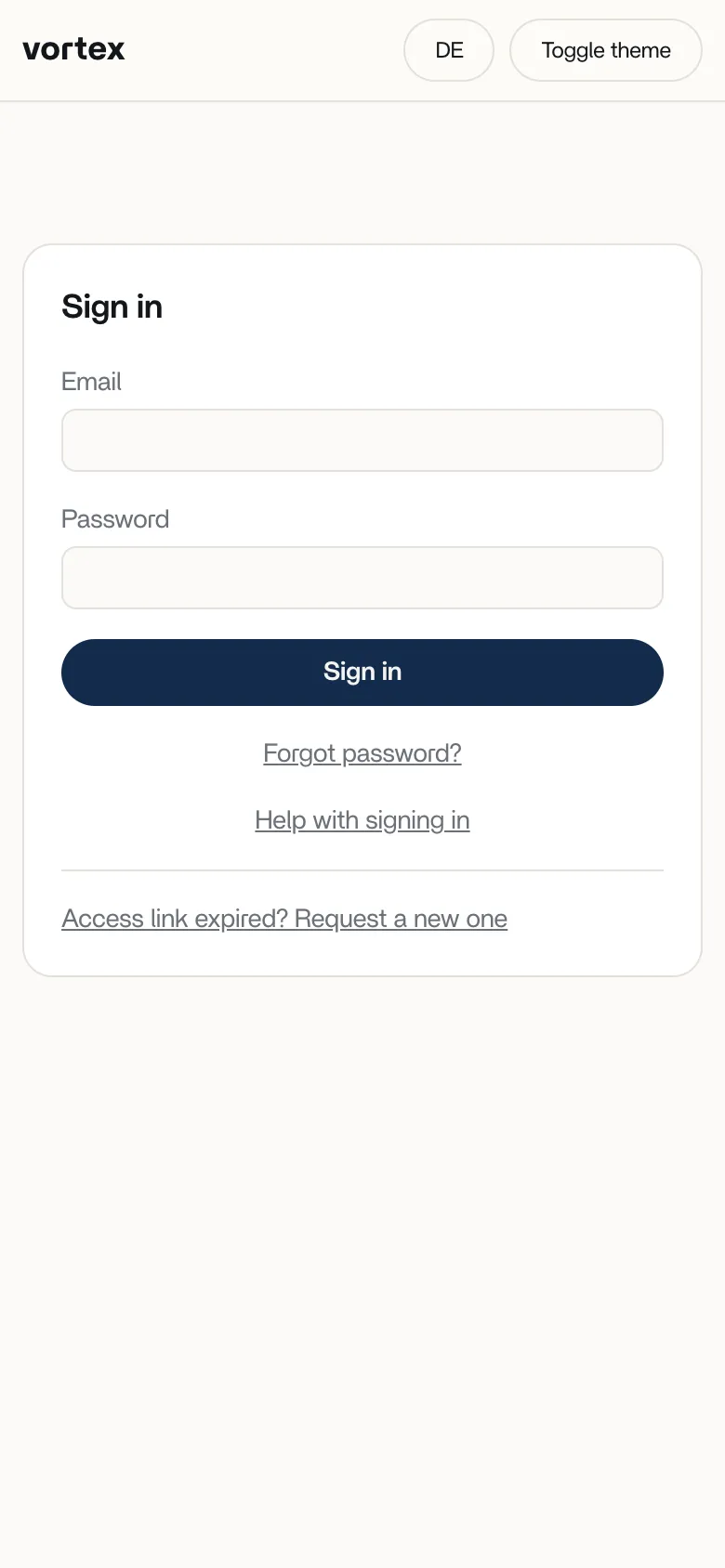
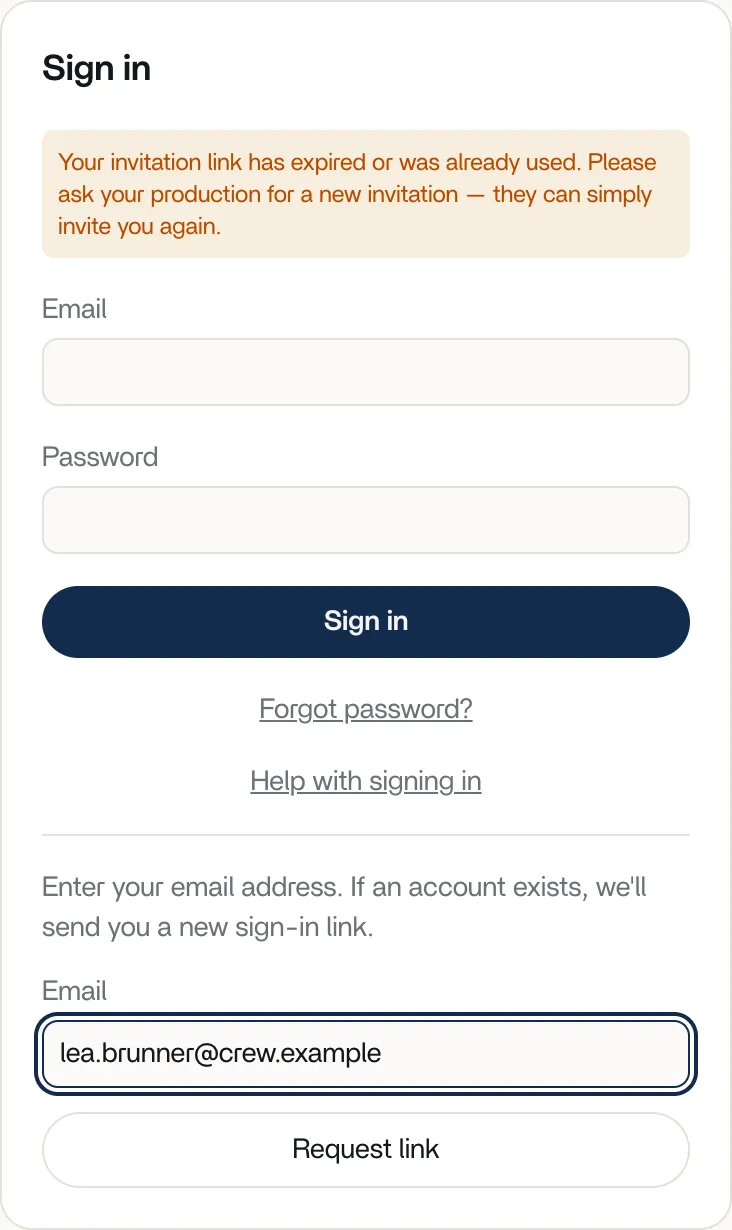
Section titled “The link has expired”If the link has expired or has already been used, you land on the sign-in page. It shows a notice that your invitation link has expired or was already used. Here is how to get a new link:
-
On the sign-in page, tap Access link expired? Request a new one.
-
Enter the email address the production team invited you with.
-
Tap Request link.
-
Open the new email and tap the link.
Reminder from the production team
Section titled “Reminder from the production team”If your rapport hasn’t been submitted yet, the production team can remind you by email. The subject starts with «Erinnerung:» (“Reminder:”). The email contains a new sign-in link, which is also valid for 72 hours.
Changing the language
Section titled “Changing the language”vortex starts in German. To switch to English, tap EN at the top right; in the English view the button shows DE. Your browser remembers your choice. The invitation and sign-in emails are in German.