Personal details and bank account
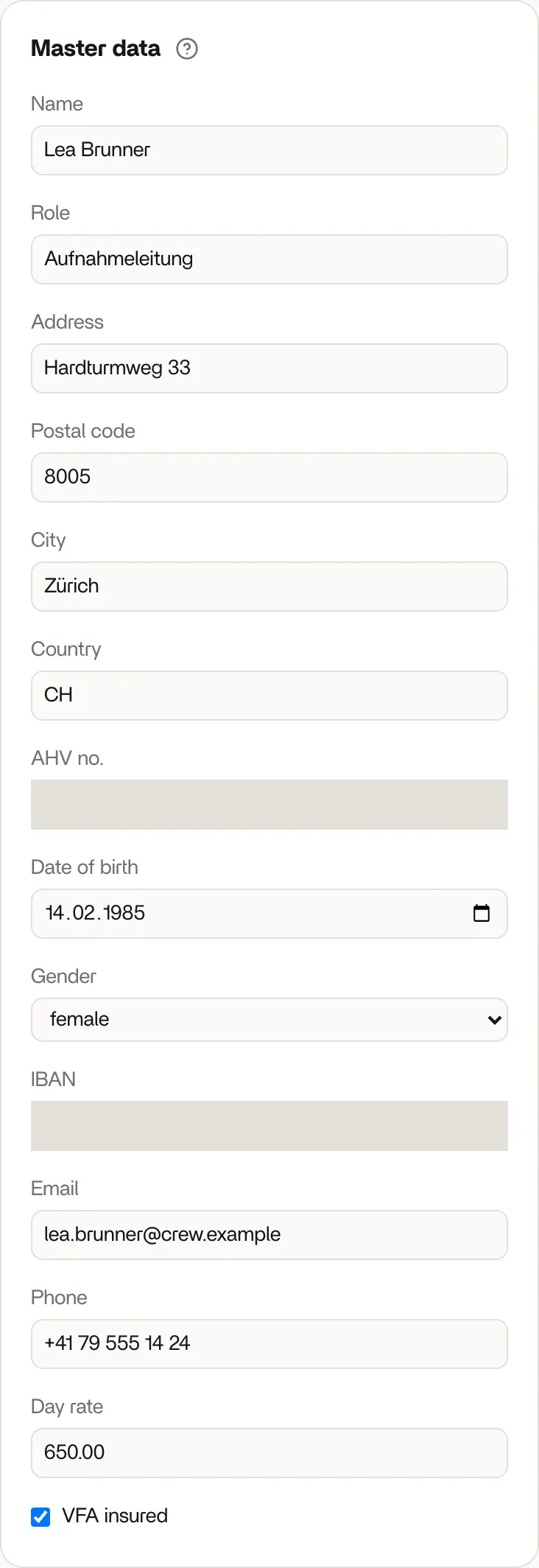
In the Master data section of your rapport you enter who you are and where your pay should be sent. To submit, you must fill in address, date of birth, AHV no., IBAN, email, phone and day rate.
What you enter
Section titled “What you enter”- Name and Role, for example “Aufnahmeleitung” (unit management).
- Address, Postal code, City and Country.
- AHV no.: your new AHV number (Swiss old-age and survivors’ insurance number) with 13 digits, in the format 756.XXXX.XXXX.XX or without dots. vortex also checks the check digit. The number is printed on your payslip.
- Date of birth: vortex needs it for the holiday pay. A higher rate applies under 20 and over 50, see How vortex calculates your pay.
- Gender: optional.
- IBAN: the account the production team transfers your pay to. Spaces are allowed, and so are accounts abroad.
- Email and Phone. For the phone number, digits, spaces and the characters + ( ) / . - are allowed, with at least 7 digits.
- Day rate: your day rate in CHF for a full work day.
- VFA insured: tick the box if you are insured with the VFA (the film and audiovision pension foundation). The VFA contribution is then deducted.
If a format is wrong, a red notice appears once you leave the field, for example “The IBAN is invalid.”
Who can see my details?
Section titled “Who can see my details?”The production team that invited you. Within it, only people with the right “See crew personal data” can see your address, date of birth, AHV no., gender and IBAN.
Saving happens automatically
Section titled “Saving happens automatically”You don’t have to save anything. vortex saves your entries shortly after your last change. While it does, the top of the rapport shows Saving …, then Saved.
If saving fails, a red notice Not saved appears with the reason. What you typed stays in the field. Tap Try again.
Withholding tax: “Tax and insurance”
Section titled “Withholding tax: “Tax and insurance””On some rapports, the Tax and insurance section appears below the work days and receipts, for example when Country is not Switzerland. vortex then checks whether withholding tax (tax deducted at source) applies to you. To do that, the section asks about marital status, number of children, church tax liability, country of residence and residence permit.
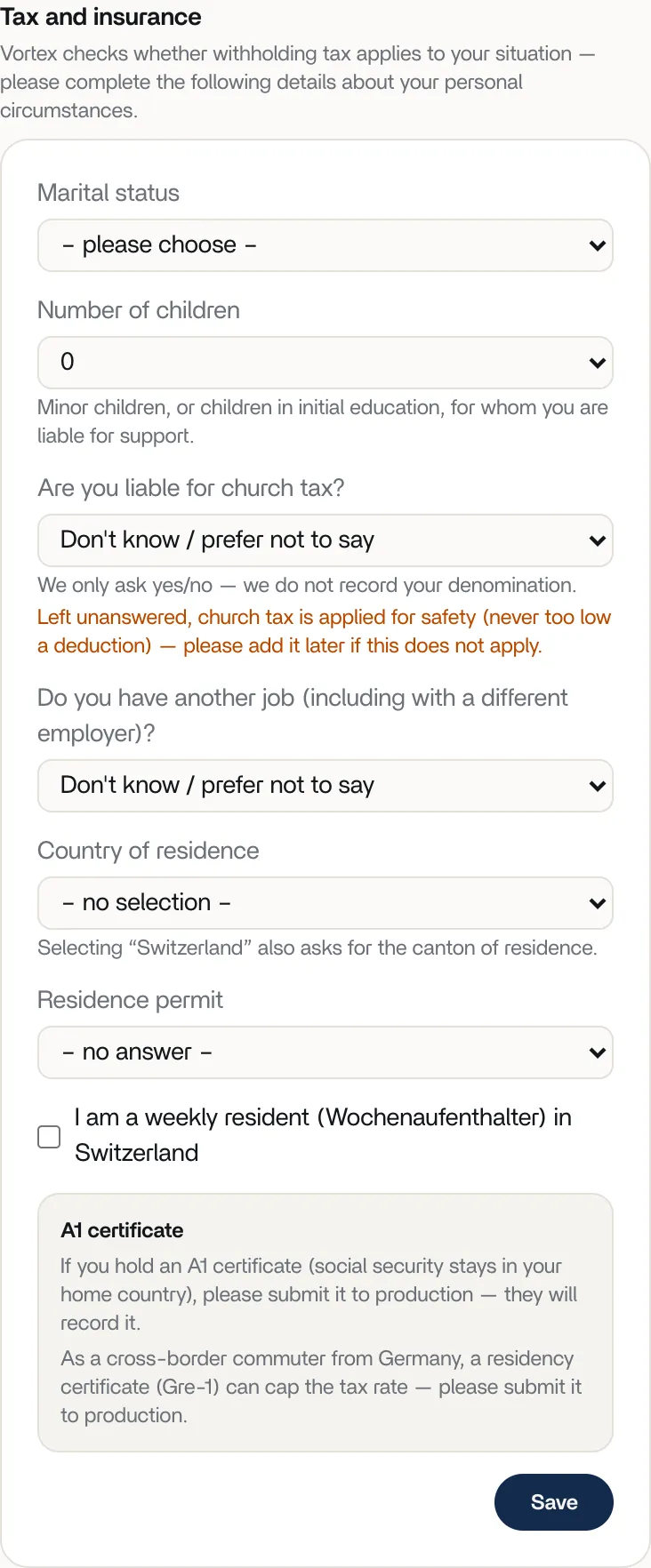
This section is not saved automatically: when you’re done, tap Save. The production team takes over your details and calculates the withholding tax. You’ll see the deduction on your payslip. If the section doesn’t appear for you, there is nothing you need to do.